
Lincoln Nautilus: Service Information / Identification Codes
Lincoln Nautilus 2018-2026 Service Manual / General Information / Service Information / Identification Codes
 Wire Terminal Inspection and Removal. General Procedures
Disconnect
WARNING:
Before beginning any service procedure in this
section, refer to Health and Safety Precautions in section 100-00
General Information...
 Identification Codes. Description and Operation
Vehicle Identification Number (VIN)
VIN Locator
The VIN is a 17-digit combination of letters and numbers. The VIN is
stamped on a metal tab riveted to the instrument panel, top upper left
of the dash...
Other information:
Lincoln Nautilus 2018-2026 Service Manual: Brake Caliper Anchor Plate. Removal and Installation
Removal NOTE: Removal steps in this procedure may contain installation details. Remove the brake pads. Refer to: Brake Pads (206-03 Front Disc Brake, Removal and Installation). Remove the bolts and the brake caliper anchor plate...
Lincoln Nautilus 2018-2026 Service Manual: Parking Brake. Diagnosis and Testing
DTC Chart: Anti-Lock Brake System (ABS) Module Diagnostics in this manual assume a certain skill level and knowledge of Ford-specific diagnostic practices. REFER to: Diagnostic Methods (100-00 General Information, Description and Operation). NOTE: If present, diagnose DTC C2007:13 Right Motor: Circuit Open or C2008:13 Left Motor: Circuit Open before diagnosing all other Diagnostic Tr..
Categories
- Manuals Home
- 1st Generation Nautilus Owners Manual
- 1st Generation Nautilus Service Manual
- Folding the Exterior Mirrors - Vehicles With: Manual Folding Mirrors. Folding the Exterior Mirrors - Vehicles With: Power Folding Mirrors
- Switching the Lane Keeping System On and Off. Switching the Lane Keeping System Mode
- Opening the Liftgate
- New on site
- Most important about car
Opening and Closing the Hood
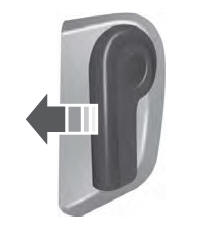
Opening the Hood

Copyright © 2026 www.linautilus.com