
Lincoln Nautilus: Lane Keeping System / Lane Keeping System Settings. Alert Mode. Aid Mode
Lane Keeping System Settings
To change the steering wheel vibration, use the instrument cluster display:
- Using the instrument cluster display controls on the steering wheel, select Driver Assist.
- Select Lane Keeping Sys.
- Select Alert Intensity.
- Select a setting.
Alert Mode
What Is Alert Mode
Alert mode vibrates the steering wheel when it detects an unintended lane departure.
How Does Alert Mode Work
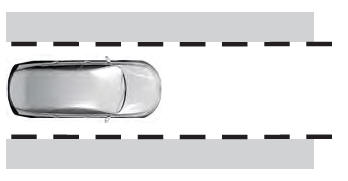
When in alert mode, the lane keeping system alerts you by vibrating the steering wheel. The intensity of the vibration is set through the lane keeping system menu.
Aid Mode
What Is Aid Mode
Aid mode provides temporary steering assistance toward the center of the lane.
How Does Aid Mode Work
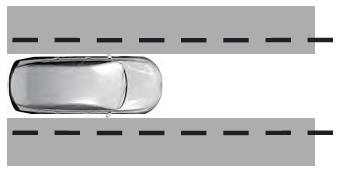
The lane keeping system aids you when an unintentional lane departure occurs. The system provides a small steering input to move the vehicle towards the center of the lane.
 Switching the Lane Keeping System On and Off. Switching the Lane Keeping System Mode
Switching the Lane Keeping System On and Off
To activate the lane keeping
system, press the button on the
turn signal lever.
Note: The system stores the on or off setting
until manually changed, unless it detects a
MyKey™...
 Alert and Aid Mode
What Is Alert and Aid Mode
Alert and aid mode uses multiple features to
keep you in your lane. The system first
provides a small steering input to bring your
vehicle back towards the center of the lane...
Other information:
Lincoln Nautilus 2018-2026 Service Manual: Vehicle Dynamic Suspension - Component Location. Description and Operation
Item Description 1 VDM 2 Rear height sensor (2 required) 3 Front height sensor (2 required) 4 Strut with solenoid (2 required) 5 Shock with solenoid (2 required) ..
Lincoln Nautilus 2018-2026 Service Manual: Front Seat. Removal and Installation
Removal WARNING: The following procedure describes critical repair steps required for correct seat component installation. Follow all notes and steps carefully. Do not place any objects between the seat components and the body of the vehicle, nor any objects within a joint internal to the seat structure. Failure to follow step instructions may result in incorrect operation of the ..
Categories
- Manuals Home
- 1st Generation Nautilus Owners Manual
- 1st Generation Nautilus Service Manual
- Child Safety Locks
- Interior Lamp Function. Adjusting the Instrument Panel Lighting Brightness. Ambient Lighting. Interior Lighting – Troubleshooting
- Folding the Exterior Mirrors - Vehicles With: Manual Folding Mirrors. Folding the Exterior Mirrors - Vehicles With: Power Folding Mirrors
- New on site
- Most important about car
Locating the Pre-Collision Assist Sensors
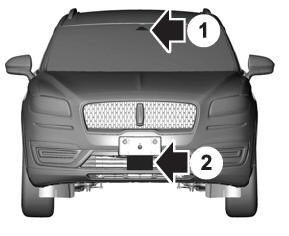
If a message regarding a blocked sensor or camera appears in the information display, something is obstructing the radar signals or camera images. The radar sensor is behind the fascia cover in the center of the lower grille. With a blocked sensor or camera, the system may not function, or performance may reduce. See Pre-Collision Assist – Information Messages.
