Lincoln Nautilus: Bumpers / Rear Bumper Cover. Removal and Installation
Special Tool(s) /
General Equipment
Removal
NOTE:
Removal steps in this procedure may contain installation details.
-
Remove the outer rear lamp assemblies.
Refer to: Rear Lamp Assembly (417-01 Exterior Lighting, Removal and Installation).
-
Remove the rear wheel and tire assemblies.
Refer to: Wheel and Tire (204-04A Wheels and Tires, Removal and Installation).
-
On both sides.
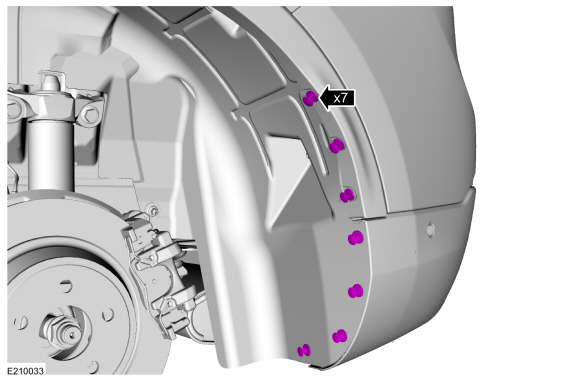
Remove the inner wheel liner to rear bumper cover pin-type retainers.
-
On both sides.
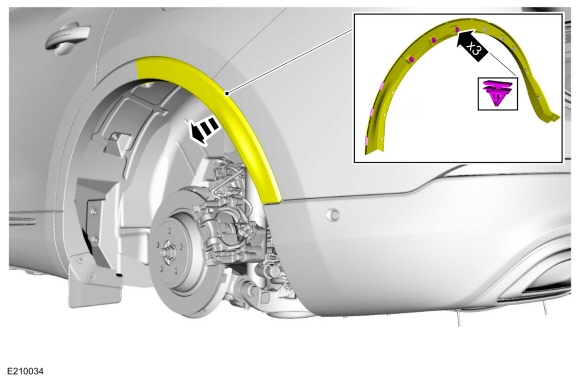
Position the rear edge of the quarter panel moulding.
-
On both sides.
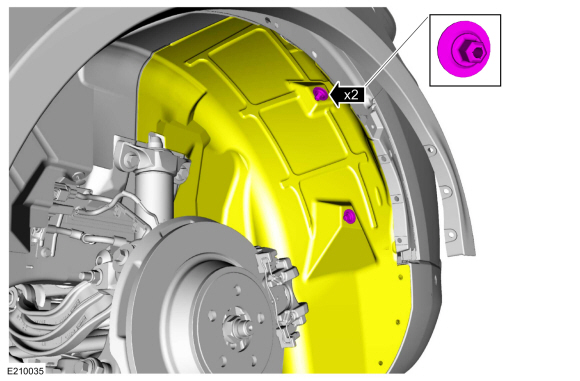
Remove the inner wheel liner to the rear bumper cover push nuts and position the liner aside.
Torque:
22 lb.in (2.5 Nm)
-
-
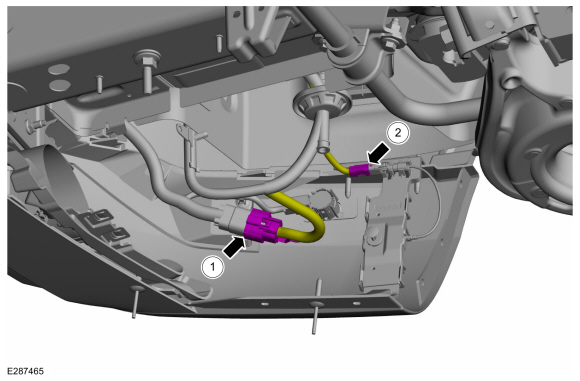
Disconnect the rear bumper cover harness electrical connector.
-
Disconnect the LH cellular antenna electrical connector.
-
Disconnect the RH cellular antenna electrical connector.
-
On both sides.
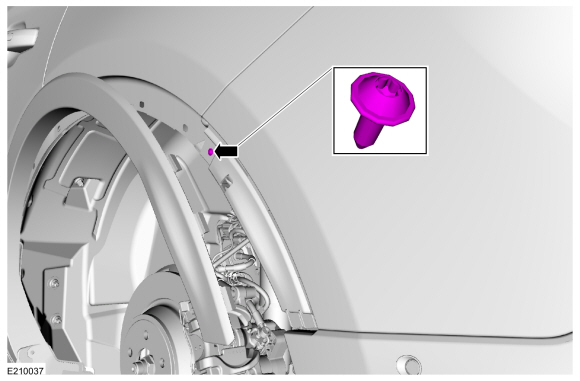
Remove the rear bumper cover to the body screw.
Torque:
10 lb.in (1.1 Nm)
-
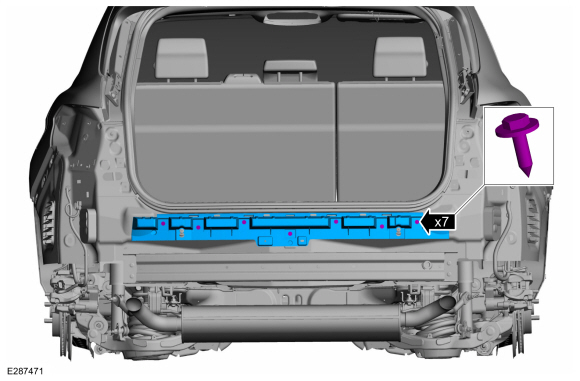
Remove the under rear bumper cover to the body screws.
Torque:
13 lb.in (1.5 Nm)
-
With the help of an assistant.
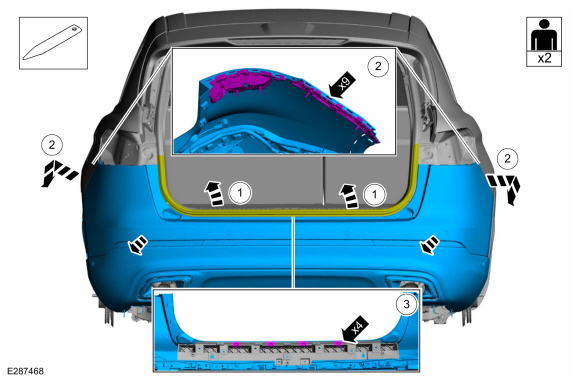
Remove the rear bumper cover.
-
Position the luggage compartment weatherstrip aside.
-
Release the sides and rear of the rear bumper cover from the side and rear brackets.
-
Using a non-marring tool, release the center of the rear bumper cover from the rear brackets.
Use the General Equipment: Interior Trim Remover
-
On both Sides.
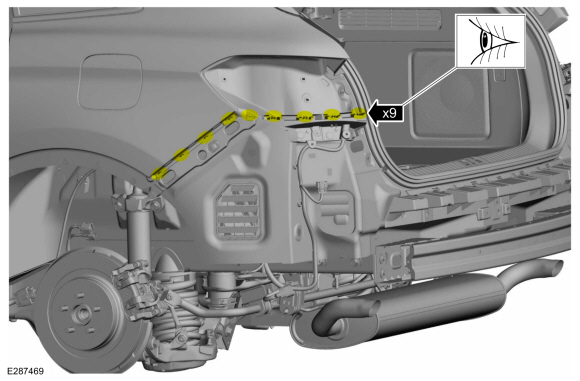
Inspect the side and rear brackets for damage.
-
If required, on both Sides.
-
Detach the wiring harness retainers and position the wiring harness aside.
-
Remove the screws and the damaged side and rear brackets.
Torque:
13 lb.in (1.5 Nm)
-
If required.
Remove the screws and the damaged rear bracket.
Torque:
13 lb.in (1.5 Nm)
Installation
-
To install, reverse the removal procedure.
-
If replacing the rear bumper cover,
Carry out the azimuth and elevation system checks.
Refer to: Azimuth System Check (413-13C Parking Aid - Vehicles With: Active Park Assist, General Procedures).
Refer to: Azimuth System Check (413-13A Parking Aid - Vehicles With: Rear Parking Aid, General Procedures).
Refer to: Elevation System Check (413-13A Parking Aid - Vehicles With: Rear Parking Aid, General Procedures).
-
If any sensor fails the check, diagnose the sensor fault.
Refer to: Parking Aid (413-13C)
.
Refer to: Parking Aid (413-13A)
.
Removal
NOTE:
Removal steps in this procedure may contain installation details.
All vehicles
Remove the rear bumper cover.
Refer to: Rear Bumper Cover (501-19)
...
DISASSEMBLY
Remove the front bumper cover.
Refer to: Front Bumper Cover (501-19 Bumpers, Removal and Installation).
On both sides...
Other information:
Removal
NOTE:
Removal steps in this procedure may contain installation details.
If installing a new steering gear, upload the PSCM configuration to the scan tool.
Refer to: Module Configuration - System Operation and Component
Description (418-01A Module Configuration, Description and Operation)...
Drive to the speed you prefer.
Press either button to set the
current speed.
Take your foot off the accelerator pedal.
The indicator, current gap setting and set
speed appear in the information display.
A vehicle image illuminates if there is a
vehicle detected in front of you...

.jpg)
.jpg)
.jpg)
 Rear Bumper. Removal and Installation
 Front Bumper Cover. Disassembly and Assembly