Lincoln Nautilus: Climate Control System - General Information / Passenger Side Register. Removal and Installation
Special Tool(s) /
General Equipment
Removal
NOTE:
Removal steps in this procedure may contain installation details.
-
Release the clips and remove the information display trim panel.
Use the General Equipment: Interior Trim Remover
-
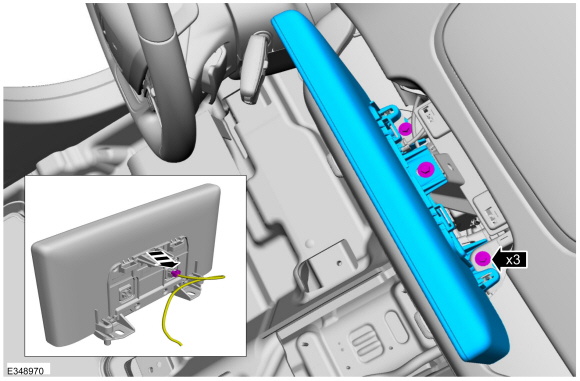
Remove the bolts and the information dispaly unit.
-
Disconnect the electrical connector.
Torque:
12 lb.in (1.3 Nm)
-
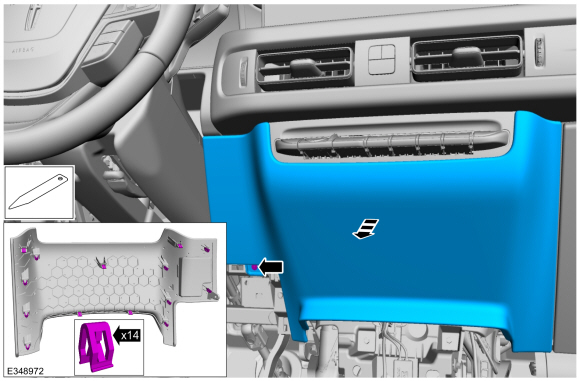
Release the clips and remove the lower center instrument panel trim panel.
Use the General Equipment: Interior Trim Remover
-
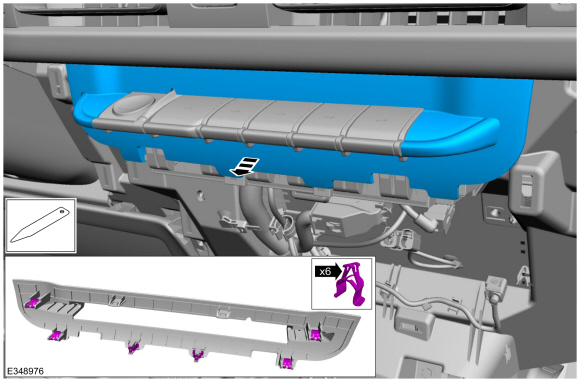
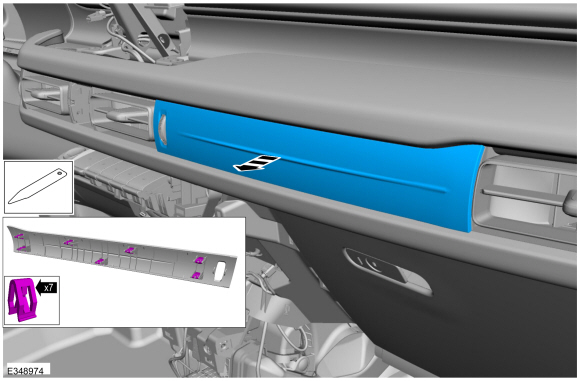
Release the clips and remove the finish panel.
Use the General Equipment: Interior Trim Remover
-
Release the clips and remove the lower RH instrument panel trim panel.
Use the General Equipment: Interior Trim Remover
-
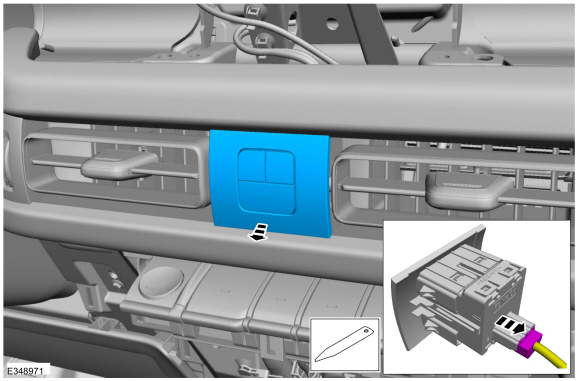
Remove the the switch.
-
Disconnect the electrical connector.
Use the General Equipment: Interior Trim Remover
-
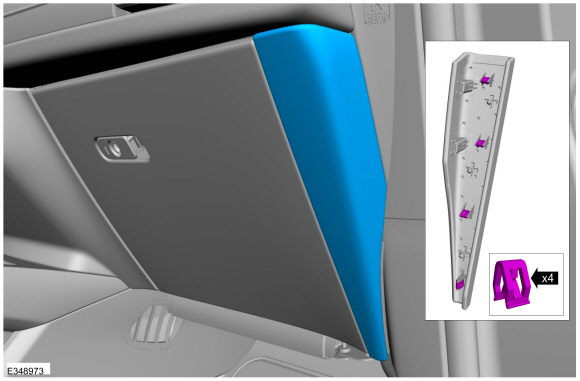
Release the clips and remove the RH instrument panel finish panel.
Use the General Equipment: Interior Trim Remover
-
Remove the bolt, release the clips and remove the RH instrument panel trim panel.
Use the General Equipment: Interior Trim Remover
Torque:
22 lb.in (2.5 Nm)
-
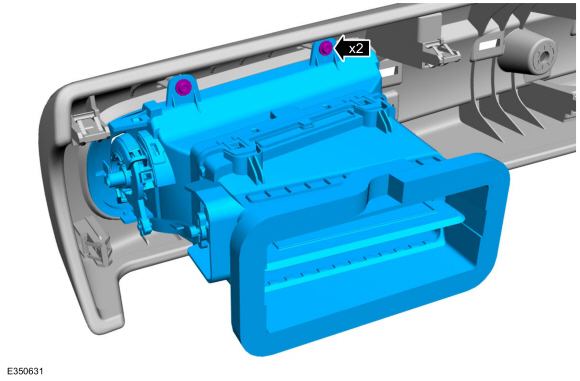
Remove the screws and the passenger side register.
-
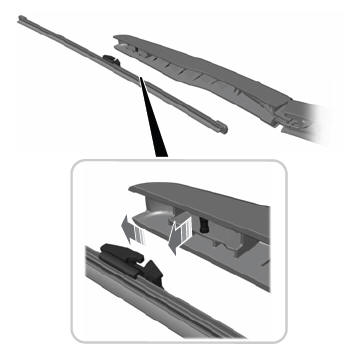
Remove the arm, lift the tabs and separate the register and dampener.
Installation
-
To install, reverse the removal procedure.
Removal
Remove the floor console.
Refer to: Floor Console (501-12 Instrument Panel and Console, Removal and Installation).
Disconnect the electrical connector...
Removal
Remove the instrument panel.
Refer to: Instrument Panel (501-12 Instrument Panel and Console, Removal and Installation).
Disconnect the electrical connector...
Other information:
Special Tool(s) /
General Equipment
Flat Headed Screw Driver
Removal
NOTE:
Removal steps in this procedure may contain installation details.
Remove the muffler and tailpipe.
Refer to: Muffler and Tailpipe (309-00B Exhaust System - 2...
Special Tool(s) /
General Equipment
Interior Trim Remover
Removal
NOTE:
Removal steps in this procedure may contain installation details.
Release the clips and remove the information display trim panel.
Use the General Equipment: Interior Trim Remover
Remove the bolts and the information dispaly unit...

.jpg)
.jpg)
.jpg)
 Passenger Side Footwell Air Discharge Temperature Sensor. Removal and Installation
 Passenger Side Register Air Discharge Temperature Sensor. Removal and Installation